Transform Wazuh to Google SecOps Rules

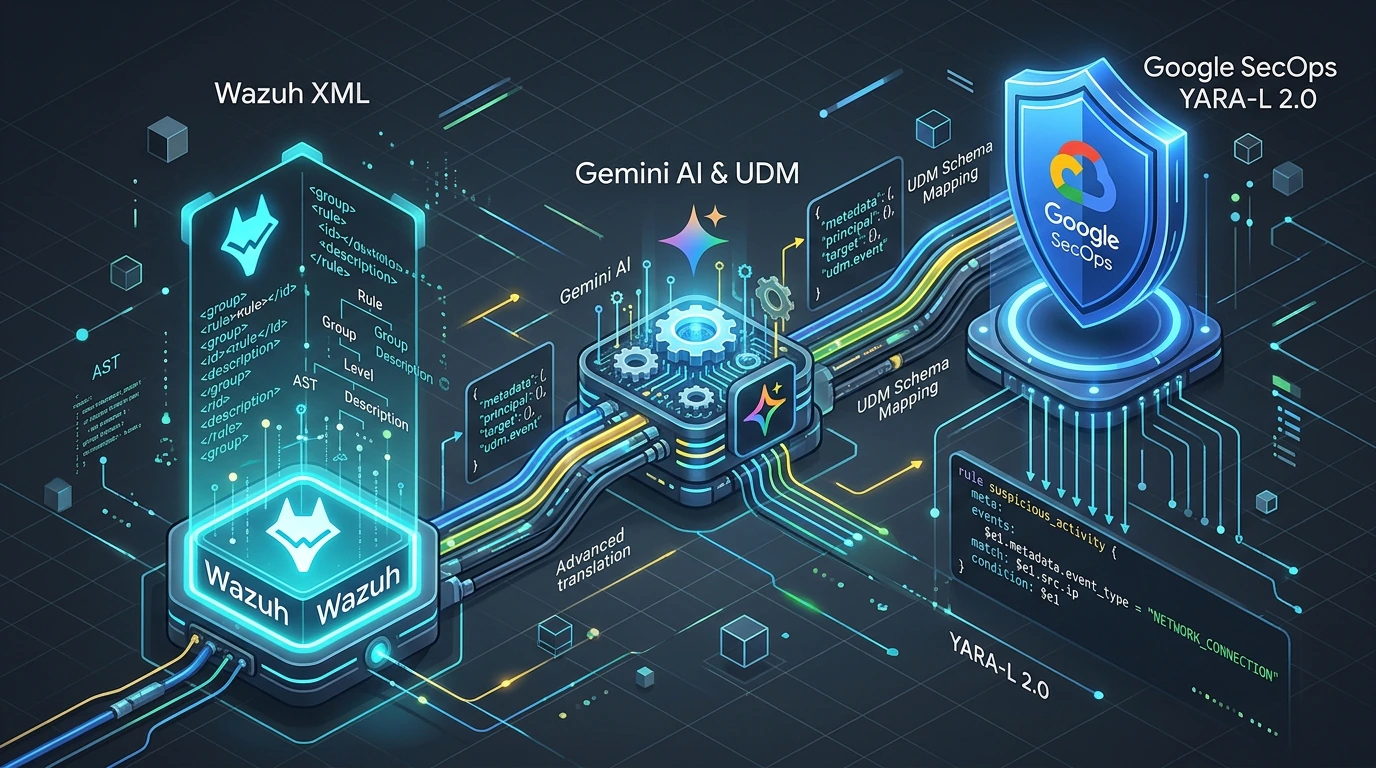
Moving from Wazuh SIEM to Google Security Operations (SecOps)? Here is how my new rule translation workbench helps you transform your custom Wazuh XML detections into production-ready YARA-L 2.0 rules.
Try the tool directly at jorgeliauw.nl/wazuh-to-secops.
High-Precision Rule Translation, Not Blind Mass Migration
When organizations transition from Wazuh to Google SecOps, one of the first questions that comes up is: “How do we move our existing detection rules over?”
To help customers bridge that gap, I built SecOpsBridge (Wazuh to Google SecOps Rule Translator):
This is not a mass migration tool, but a high-precision rule translation tool — combined with our knowledge, we will help you to transform your SecOps detection.
We use syntax and rule checkers, Gemini, and Human-on-the-Loop (HOTL) to help you produce and validate production-ready detection rules. The tool has been battle-tested against a live Wazuh instance in my own detection homelab and validated end-to-end with Google SecOps to make sure the generated rules work on real telemetry—not just on paper.
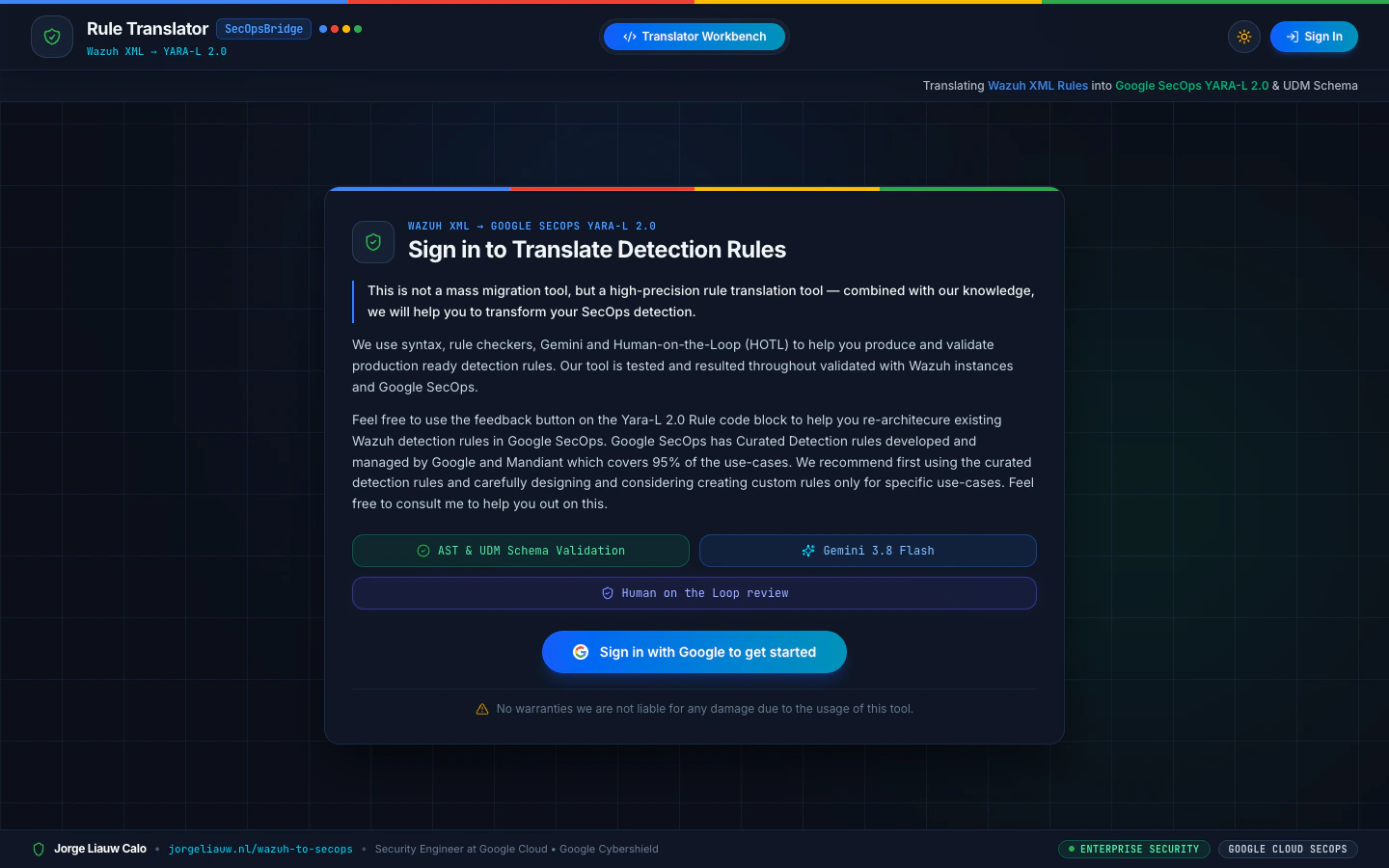
Getting Started: Sign In with Your Google Account
To use the workbench, you simply sign in with your Google account.
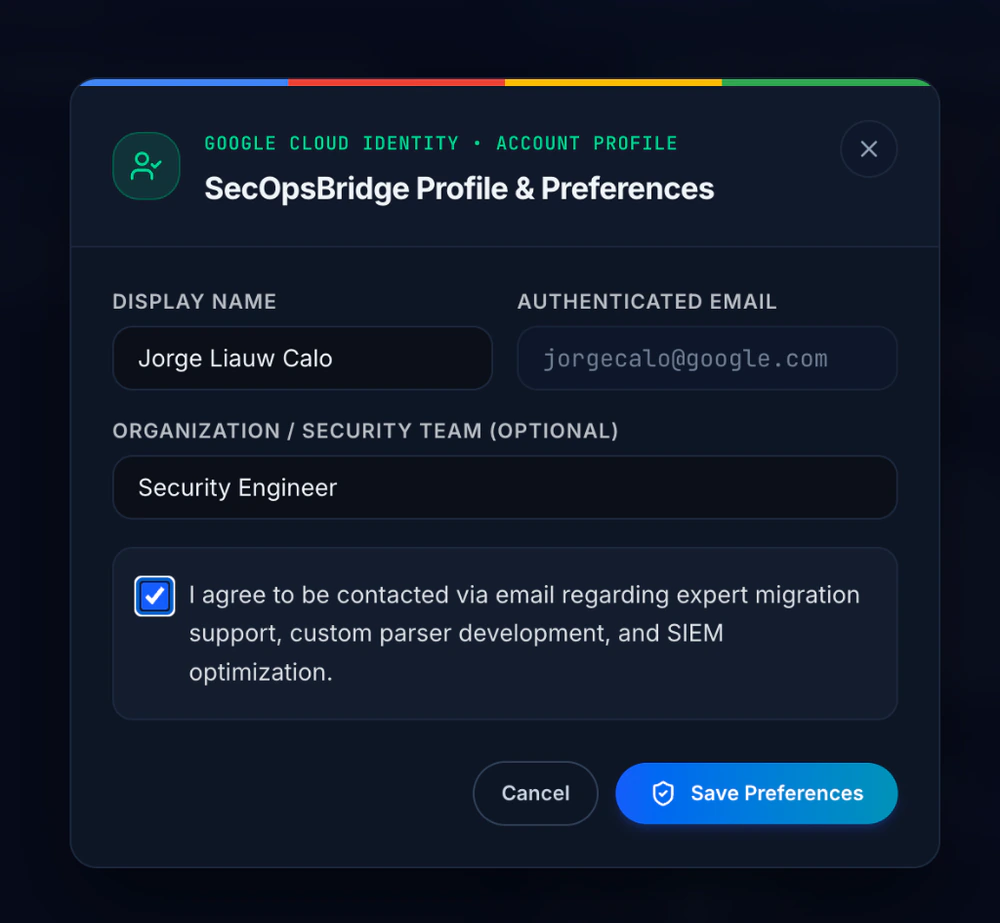
Right after logging in, you can set your profile details and opt in to share your contact preferences. This allows us to reach out to you about your usage of the tool, assist with custom parser development, or support your broader SIEM migration and optimization.
Why 1:1 Rule Translation Is Not Always the Answer
Before translating a single XML file, there are two important principles I always share with customers:
- Start with Curated Detections (95% Coverage): Google SecOps includes Curated Detection rules developed and managed by Google and Mandiant, which already cover 95% of common threat detection use cases out of the box. We recommend enabling Curated Detections first and only building custom rules for your specific use cases.
- Redesign Around Use Cases, Not Just 1:1 Syntax: A literal 1:1 rule translation is not always the right answer. Wazuh rules are often structured around raw log strings, OSSEC decoders, and rigid parent-child
if_sidchains. Translating a noisy legacy rule 1:1 simply brings old alert fatigue into a modern SIEM. Often, the best approach is to look at the underlying security use case and redesign the detection for Google SecOps—taking advantage of normalized Unified Data Model (UDM) fields, multi-event correlation windows, and richer context.
When you do have custom Wazuh rules that need to be translated or re-architected into YARA-L 2.0, doing it manually from scratch takes time. That is where the translator workbench shines.
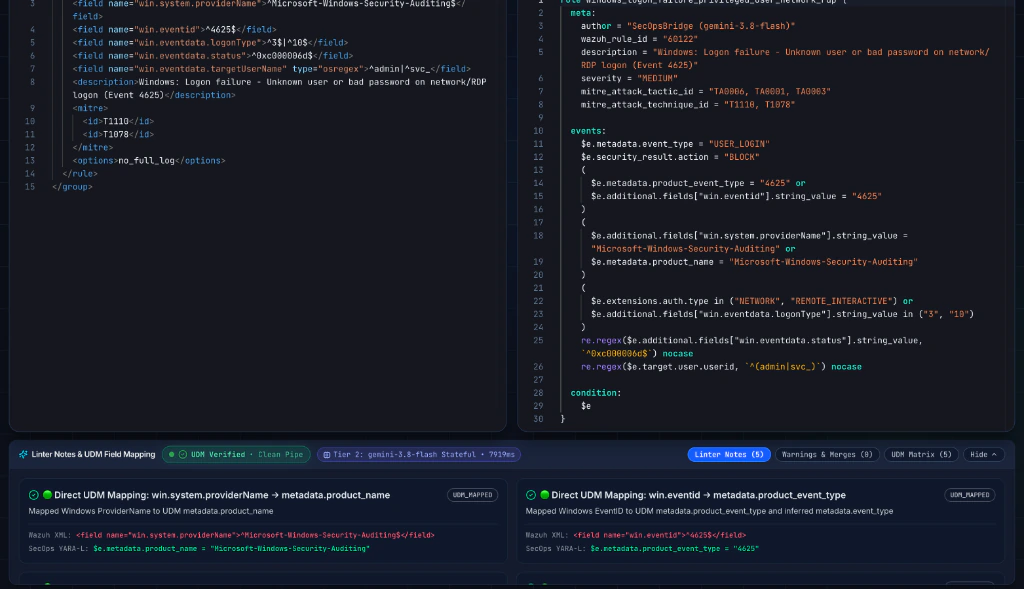
Linter Notes & UDM Field Mapping
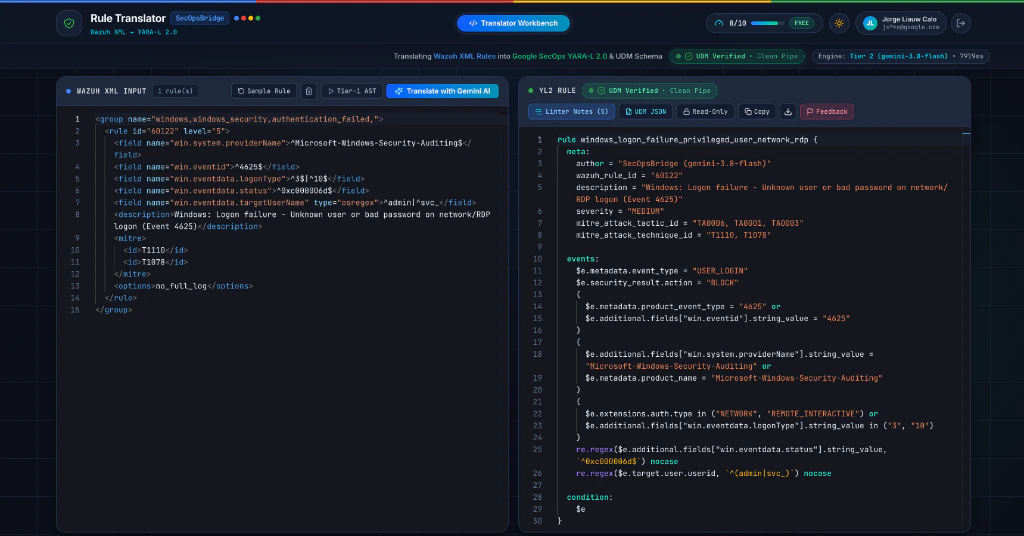
Wazuh and Google SecOps structure telemetry differently. Wazuh matches against decoded XML fields (win.eventid, win.system.providerName, srcip), while Google SecOps evaluates YARA-L 2.0 rules against normalized UDM events.
Underneath the editor, the Linter Notes & UDM Field Mapping drawer inspects every predicate in your Wazuh rule:
- Clean Pipe (
UDM Verified): Shows exact field translations—for example, mappingwin.system.providerNametometadata.product_nameandwin.eventidtometadata.product_event_type. - Clogged Pipe (
Custom Parser / Unmapped UDM): Warns you when a rule relies on a custom Wazuh<decoded_as>decoder or non-standard field, routing it toadditional.fieldsand highlighting where a Chronicle Ingestion Parser or Bindplane transform is required.
Human-on-the-Loop (HOTL): Submit Rules for Manual Review
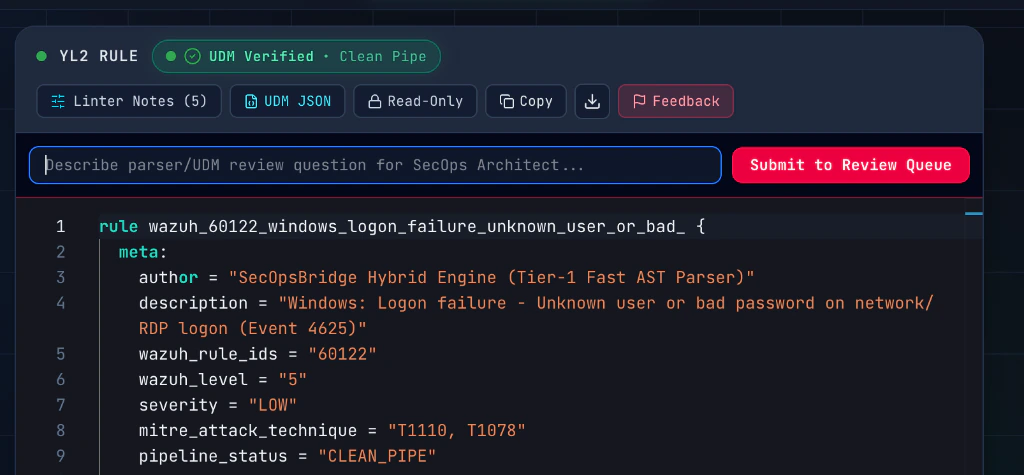
AI and syntax checkers get you 90% of the way there in seconds, but high-fidelity detection engineering benefits from human expertise—especially when a legacy Wazuh rule needs to be redesigned around a broader threat use case.
Directly on the YL2 RULE pane, you can click the Feedback button to ask a parser/UDM question or flag the rule for review. Once submitted to the review queue, I will manually review your rule(s) and contact you with architectural recommendations or a refined YARA-L 2.0 detection.
Try It Out
Ready to test your own Wazuh XML detections or re-architect your custom rules for Google SecOps?
- Go to https://jorgeliauw.nl/wazuh-to-secops and sign in with your Google account.
- Paste your Wazuh
<rule>XML (or load a sample rule) to generate the YARA-L 2.0 rule and inspect the Linter Notes & UDM Field Mapping. - Click Feedback on any rule you want a second pair of eyes on, and I will review it and get in touch!

Jorge Liauw Calo
Security Engineer at Google Cloud (Google Cybershield) with 13+ years of experience in Cybersecurity across highly regulated industries including Semiconductor, Banking, Fintech, and Insurance. Active member of the Google Cloud Community BeNeLux and Google Cloud Security Community Amsterdam.